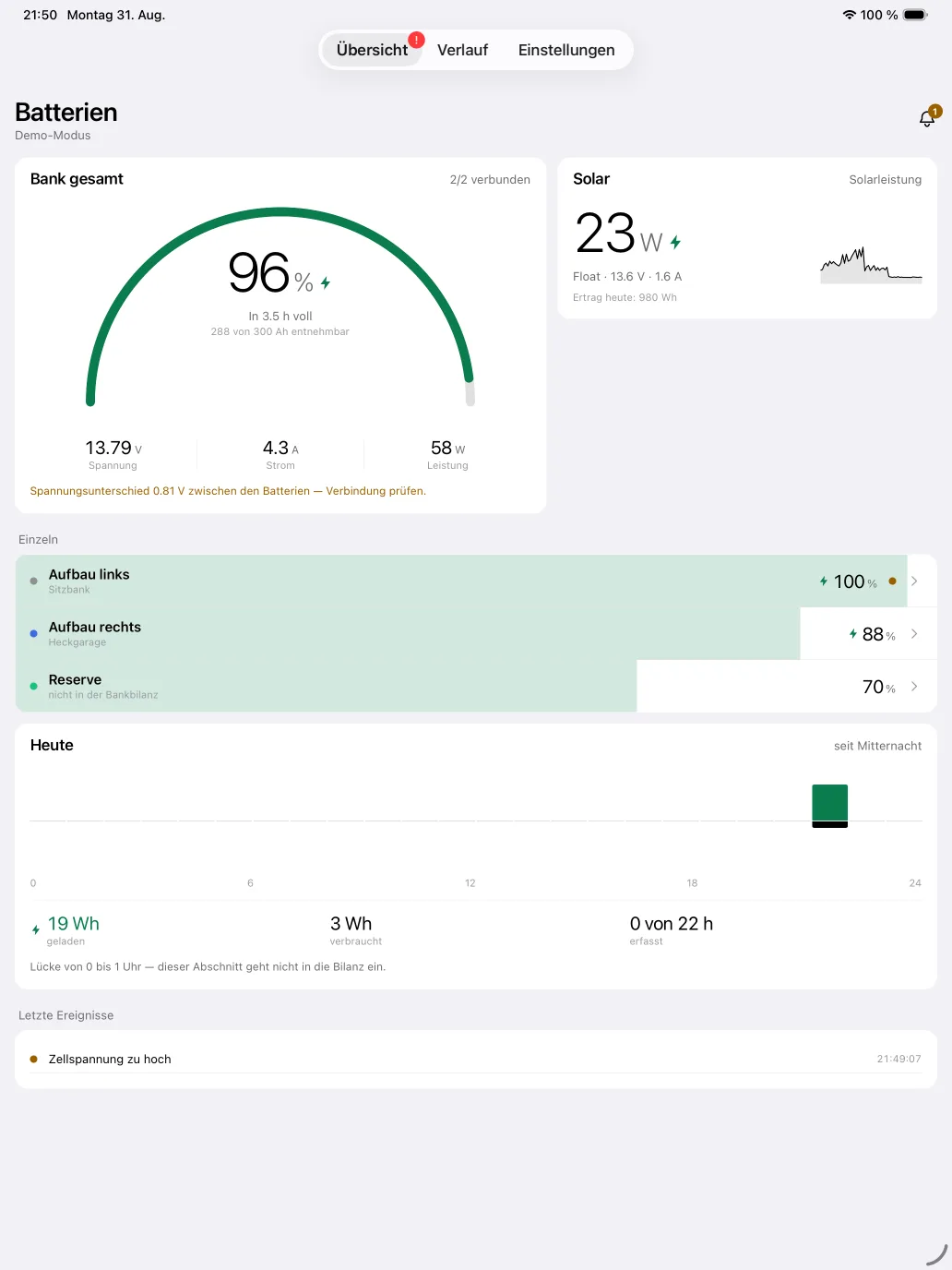
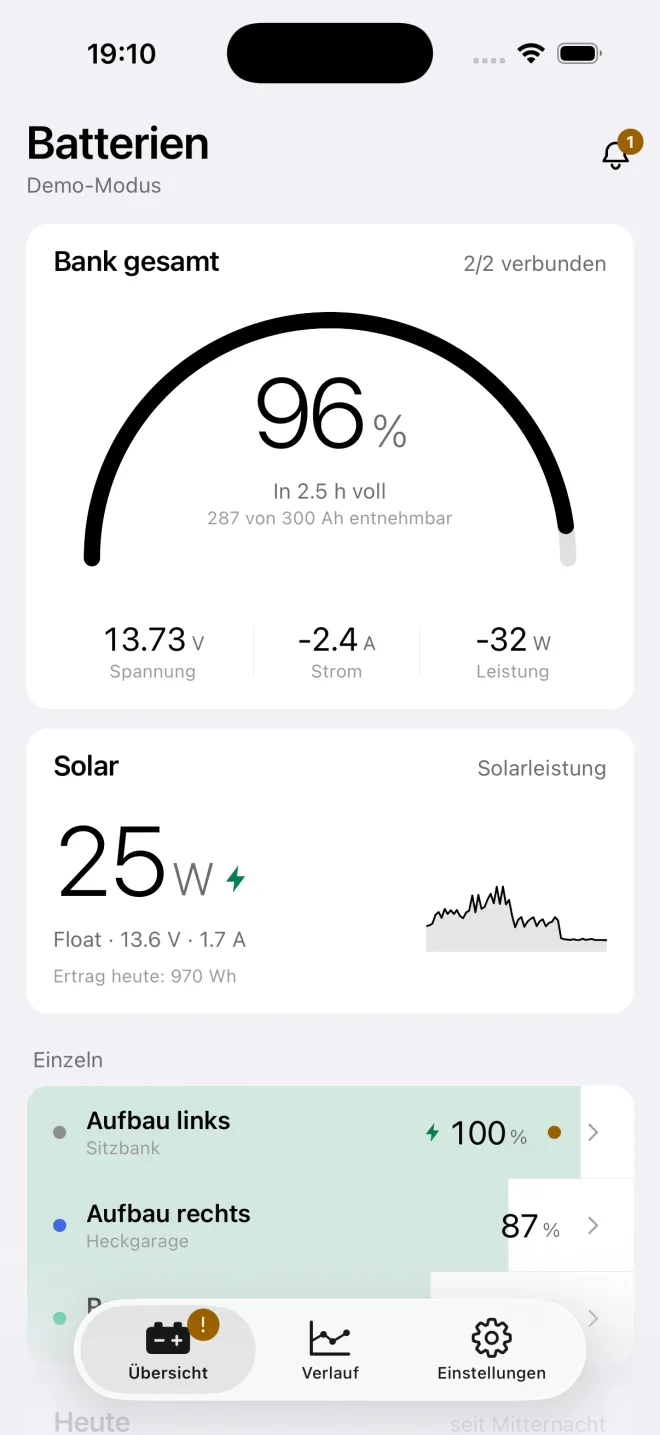
MultiVolt reads several campervan batteries over Bluetooth at the same time: state of charge, voltage, current, every single cell, temperature and protection flags. Plus a combined figure for the whole bank — and the estimate that actually matters day to day.
App StoreComing soonGoogle PlayComing soon
For iPhone, iPad and Android. No account.
No account
No sign-up, no email address
No server
The app makes no network requests at all
Read-only
No switching command ever reaches the battery
Three protocols
Ective, JBD/Xiaoxiang, Daly
What is on the screen
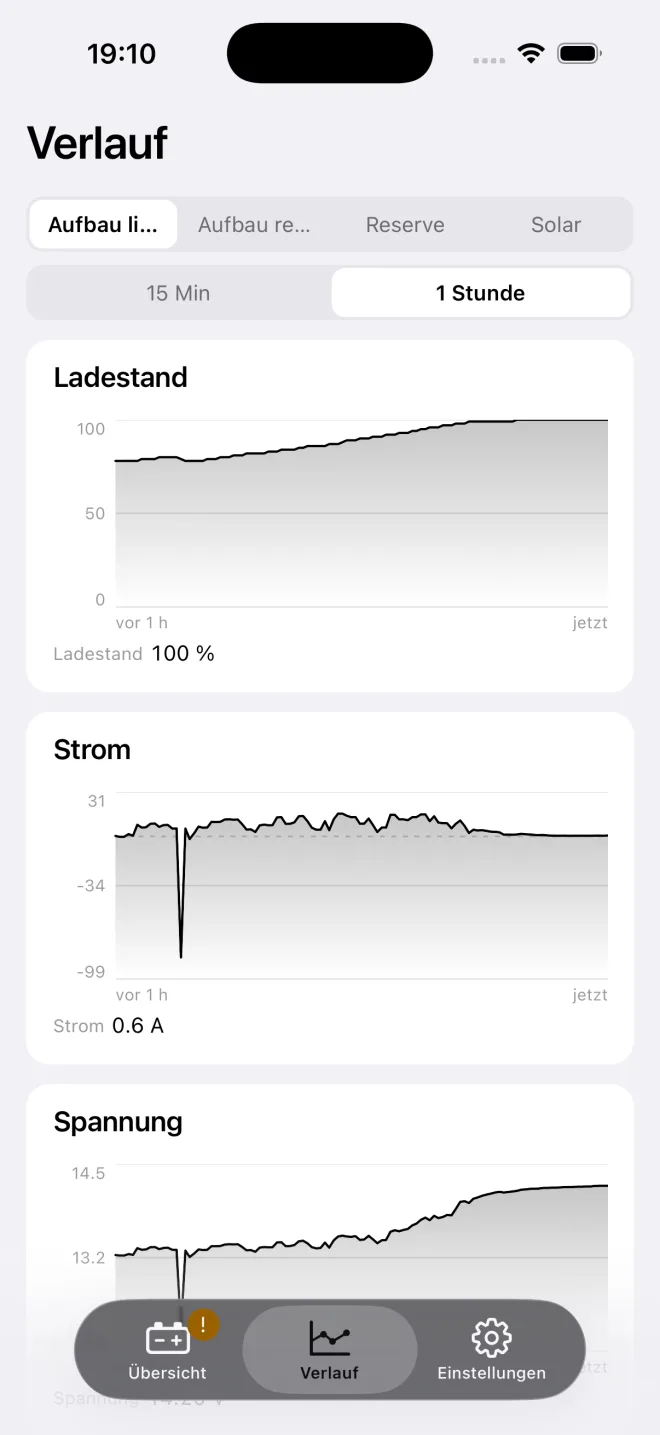
Three views, and no more are needed: the whole bank as a single number, one battery down to the cell, and the past hour as a curve.
Bank total
Six batteries, one number
If you run two or three house batteries in parallel, you do not want to read three percentages — you want one. MultiVolt weights the state of charge by capacity across the whole bank, so a 200 Ah battery counts twice as much as a 100 Ah one.
Total capacity
Available amp hours across every connected battery.
Total current and power
What is flowing in or out right now, signed: positive means charging.
Voltage spread
For batteries wired in parallel the app warns from 0.3 V of difference — the point at which one battery starts discharging into the other.
Runtime for the bank
One estimate for the whole installation, not one per battery.
Battery detail
Down to the individual cell
A LiFePO4 battery rarely dies as a whole. It dies because one cell drifts away. That is why MultiVolt shows every cell voltage as its own bar and marks the highest and the lowest.
Cell voltages
Every cell as a bar, highest and lowest highlighted, plus the drift between them.
Balancer
Which cells the BMS is currently balancing — where the protocol reports it.
MOSFET state
Whether charging and discharging are enabled.
Temperature, cycles, firmware
Whatever else the BMS discloses about itself, including its build date.
What the app does with it
Compute and warn — in a way the number can carry day to day.
Runtime estimate
A reading that does not flicker
A compressor fridge cycles. Compute the remaining runtime from the instantaneous current and the display jumps between "40 h" and "2 h", which makes it worthless. MultiVolt keeps a rolling average of the current for each battery and works from that.
Below 0.3 A it deliberately gives no estimate at all. A number nobody can stand behind is worse than a dash.
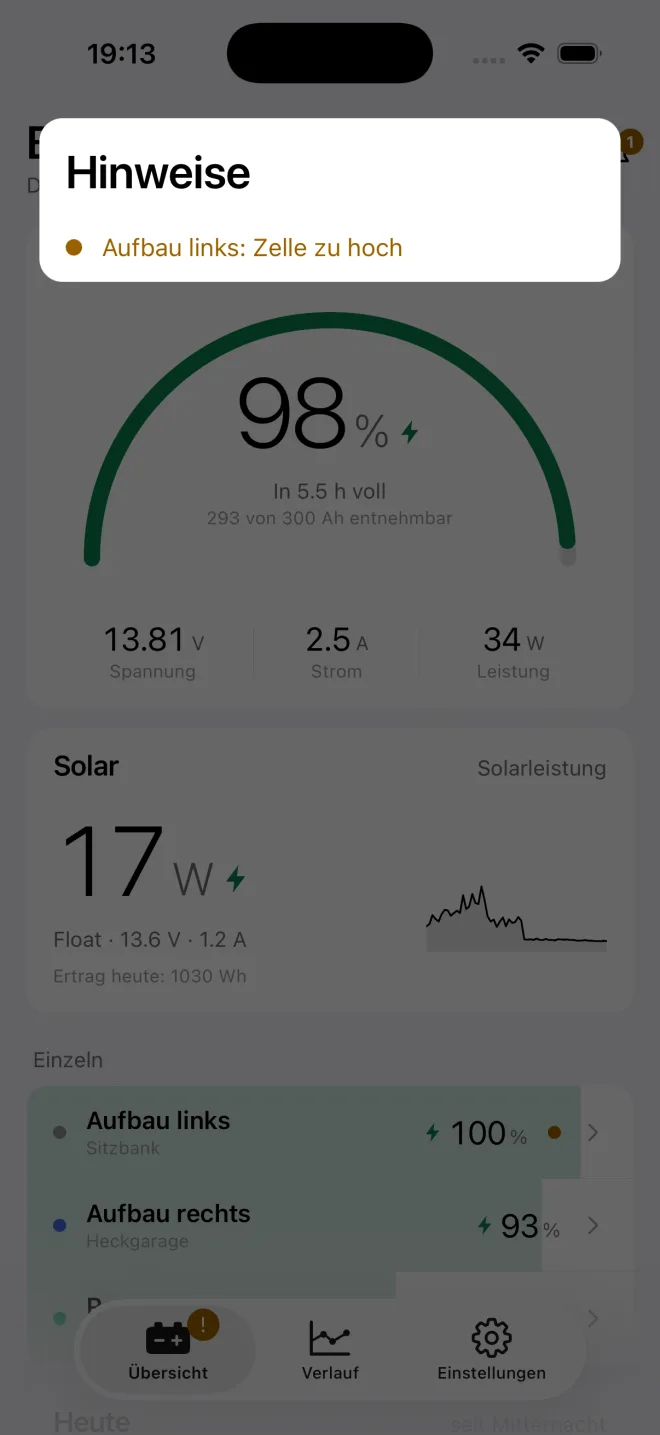
Warnings
Nine channels, two levels, all adjustable
Every channel has an amber and a red threshold, and you move both yourself — as a default for all batteries or differently for a single one. The thresholds use hysteresis so a warning does not flick on and off every second.
State of charge low
Cell voltage too low
Cell voltage too high
Cell drift
Temperature too high
Charging while cold
Current too high
No recent readings
Protection flag from the BMS
Charging while cold is the channel most people underestimate: charging a LiFePO4 cell below 0 °C damages it permanently, and nothing gets warm while it happens.
What it deliberately does not do
The most important part. MultiVolt sends nothing and switches nothing. Both are decisions, not gaps.
Privacy
There is nothing to send
MultiVolt has no server. That is not a promise but a property of the program: there is not a single network call anywhere in the app source. No analytics, no crash reporting, no account, no sign-in.
Readings stay transient
What the battery reports lives in memory and is gone when you close the app.
Only your setup is stored
Names, mounting locations, protocols, rated capacities and your thresholds. None of it leaves the device.
Bluetooth is read-only
The Android scan is explicitly flagged as not deriving location.
The one outside connection
is the purchase, handled by the App Store or Google Play.
MultiVolt switches nothing. The app sends read requests only — and to Ective batteries it sends nothing at all. It does not toggle MOSFETs and never writes to the memory of the BMS.
Low-voltage cutoff, disconnect and overcurrent protection belong in the BMS and must work without a phone. A dead phone battery, a phone out of range or a closed app must never be the reason a battery is damaged.
One real battery is free — not a cut-down view of it, but the full feature set: every display, every threshold, the history, every warning. From the second battery onwards a subscription applies.